















Certificate in MIS Analytics
- 312 Votes
- 423 Students
Upgrade your technical expertise with a Certificate in MIS Analytics and gain industry-relevant skills demanded by today’s job market. Enroll now to stay competitive and future-ready.
- Eligibility: 12th Pass / Graduate
- Mode of Delivery: Classroom / Offline / Hybrid/ONLINE
- Difficulty Level: Beginner-friendly (No prior knowledge required)
- Duration: 6 Months
- Course Type: Short-Term Certification
- Language: English / Hindi
- No. Of Modules: 7
- Certification By: IAFA
Course Section:
Course Overview
The Certificate in MIS Analytics is a specialized program focusing on Management Information Systems (MIS) and data analytics. This course is designed to equip learners with the ability to analyze, interpret, and present data effectively for informed business decision-making.
By completing this MIS certification, learners develop expertise in managing large datasets, identifying trends, and generating meaningful insights that support strategic and operational decisions.
Course Objectives
This MIS course empowers learners to transform raw data into actionable business insights. Key learning outcomes include:
- Creating insightful and interactive reports using Power BI
- Mastering Advanced Excel for data cleaning, analysis, and transformation
- Working efficiently with G-Suite to build dynamic presentations and collaborate effectively
- Enhancing data visualization skills using Data Studio
- Automating repetitive tasks through VBA
- Performing data manipulation and analysis using SQL
Prerequisites
The MIS certification course is open to students who have completed their 12th grade. While basic computer knowledge is beneficial, it is not mandatory.
Why Choose MIS Certification?
- Enhanced Credibility: Certified professionals are preferred by employers
- Higher Earning Potential: Advanced skills can lead to better salary opportunities
- Industry-Relevant Skills: Stay updated with current tools and practices
- Career Growth: Increased chances of promotions and new roles
- Improved Productivity: Learn best practices from experienced industry professionals
Why Learn MIS from Institute of Applied Finance & Analytics (IAFA)?
- Real-Life Industry Projects
- Group Discussions & Skill Development Sessions
- Mock Interviews
- 100% Job Assistance
Who Should Enroll?
- 12th Pass Students: Start a strong career in MIS and analytics
- Career Switchers: Ideal for those planning a professional transition
- Data Enthusiasts: Learn powerful tools to become data-proficient
- IT Professionals: Upgrade skills for career advancement
- Business Owners & Professionals: Improve data handling and decision-making
What You Will Master
- Power BI: Design and publish interactive dashboards using slicers and tooltips
- Advanced Excel: Financial functions, lookups, data validation, Power Query & Power Map
- G-Suite: Google Sheets security, presentations with Slides, and cloud collaboration
- Data Studio: Create impactful charts and data visualizations
- VBA Programming: Functions, variables, automation, and ActiveX controls
- SQL: Data insertion, queries, sub-queries, and string manipulation
MIS Certification
Institute of Applied Finance & Analytics (IAFA) is India’s leading training and skill development institute offering job-oriented programs. we focus on making learners industry-ready through high-quality training and placement support at affordable fees.
Career Opportunities After MIS Certification
After completing the MIS course, learners can pursue roles such as:
- MIS Specialist
- Data Analyst
- Business Analyst
- Systems Analyst
- Database Administrator
- IT Consultant
- Project Manager
- Business Intelligence Developer
- Information Security Analyst
Highlights
- Power BI enables data visualization, in-depth analysis, data integration, real-time monitoring, collaboration, mobile accessibility, and opens strong career opportunities.
- Advanced Excel equips learners with skills in data analysis, automation, complex calculations, reporting, and enhanced productivity.
- G Suite training covers efficient use of tools such as Gmail, Google Drive, Docs, Sheets, Slides, Calendar, and Google Meet for seamless collaboration and data handling.
- Data Studio helps you create interactive dashboards and reports by connecting multiple data sources for impactful data visualization.
- VBA (Visual Basic for Applications) teaches task automation, custom function creation, data manipulation, application integration, and user interface development within Microsoft Office tools like Excel, Word, and PowerPoint.
- SQL for MIS Analytics focuses on data retrieval, query writing, analysis, and reporting to manage information systems and support effective business decision-making.
Syllabus Overview
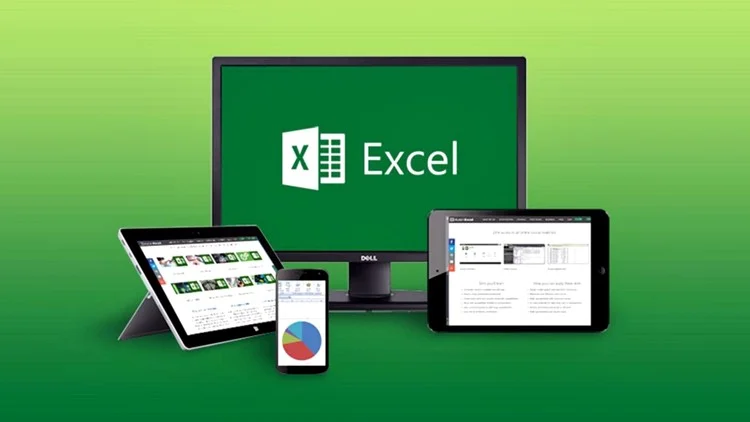
Module 01: Excel
Lectures
- Lecture 1 : Introduction to Ms Excel 2019
- Lecture 2 : Database Design
- Lecture 3 : Cell Reference
- Lecture 4 : Number & Conditional Formatting
- Lecture 5 : Lookup & Reference Functions
- Lecture 6 : Logical Functions
- Lecture 7 : Financial Functions
- Lecture 8 : Sort & Filter
- Lecture 9 : Pivot Table & Pivot Chart
- Lecture 10 : Protection
Module Benefits
- Efficient Data Management
Excel helps organize, clean, and manage large volumes of business data accurately.
- Faster MIS Reporting
Create daily, weekly, and monthly MIS reports using formulas, Pivot Tables, and dashboards.
- Advanced Data Analysis Skills
Use functions, logical formulas, lookup tools (VLOOKUP/XLOOKUP), and Pivot Tables for data-driven analysis.
- Dashboard & Visualization Expertise
Design interactive charts, graphs, and dashboards to present insights clearly to management.
- Improved Decision-Making
Analyze trends, variances, and KPIs to support strategic and operational decisions.
- Automation of Reports
Reduce manual work using Excel tools like formulas, conditional formatting, and basic macros.
- Accuracy & Error Reduction
Built-in validation and logical checks improve data accuracy and reliability.
- Integration with Other Tools
Excel easily integrates with accounting software, ERP systems, and databases for MIS analysis.
- Industry-Ready Skillset
Excel-based MIS and analytics skills are highly demanded in finance, HR, operations, and sales roles.
- Career Growth Support
Essential for roles like MIS Executive, Data Analyst, Business Analyst, Accounts Analyst, and Operations Analyst.
Module 02: Advanced MS Excel
Lectures
- Flash Fill & Data Validation
- Advanced Conditional Formatting
- ASAP Utilities
- Lookup Functions
- MATCH & INDEX
- Dynamic VLOOKUP
- Data Tables
- Solver
- Financial Functions
- Sort & Filter
- Power Pivot
- Dashboard Creation
- Power Map & Power Query
- Macros
- Array Functions
- Google Drive Integration
- Mail Merge
Module Benefits
By mastering Advanced MS Excel, learners can efficiently analyze large and complex datasets, apply advanced functions, and present meaningful insights to support effective business decision-making.
Module 03: VBA (Visual Basic for Applications)
Lectures
- Introduction to Macros
- Basics of VBA
- Working with Procedures & Functions
- Customizing the VBA Environment
- Understanding Objects
- Variables & Built-in Functions
- Program Execution Control
- Debugging & Error Handling
- VBA Programming Functions
- Excel Form Controls & ActiveX
- Working with Forms & Controls
Module Benefits
- Automation of repetitive and routine tasks
- Easy accessibility for multiple users
- Reduced dependency on complex Excel formulas
- Faster report generation and improved efficiency
Module 04: Google Workspace (G Suite)
Lectures
- Introduction to Google Drive
- Basics of Google Sheets
- Google Sheets Protection
- Combining Data from Multiple Google Sheets
- Google Slides
- Google Forms
- Google Mail Merge
- Google Cloud Printing
Module Benefits
- Domain-based professional email
- Improved collaboration and teamwork
- Video conferencing and communication tools
- Enhanced data security and privacy
Module 05: SQL for MIS Analytics
Lectures
- Introduction to SQL
- Platforms to Execute SQL Queries
- Creating Tables
- Data Insertion
- Auto-Increment & Primary Keys
- Altering Tables
- Delete Operations
- Update Operations
- TOP Clause
- String Functions
- Aggregate Functions
- Constraints
- SQL Joins
- Insert Sub-Queries
- Delete Sub-Queries
Module Benefits
- Simple and easy-to-learn query language
- High-speed data processing
- Seamless integration with other programming tools
- Efficient data extraction without complex coding
Module 06: Power BI
Lectures
- Introduction to Power BI
- Data Preparation in Power BI
- Publishing Reports in Power BI
- Power BI Service
- Desktop Tooltips & Slicers
- Buttons & Bookmarks in Power BI
Module Benefits
- AI-powered data analysis and big data handling
- Creation of personalized dashboards and interactive reports
- Real-time data access and insights
- Seamless integration with Excel
- Support for multiple data sources
- Engaging and interactive UI/UX features
Module 07: Google Data Studio
Lectures
- Introduction to Google Data Studio
- Creating Charts & Graphs
- Filters & Controls
- Custom Fields
- Chart Styling
- User Management & Report Sharing
Module Benefits
- Access to unlimited visualization widgets
- Integration with multiple data sources
- Easy sharing of interactive reports
- Clear and user-friendly reporting formats
- Dynamic and real-time reporting
- Creation of engaging, interactive dashboards
What They Say
Students Testimonial.
“IAFA’s practical training helped me understand real-world accounting, GST, and Tally operations. The structured learning and live projects made me confident to work independently.”
List of Potential Recruiters